The Best Budget Projectors for a Home Theater
A great movie night doesn't require a $2,000 laser projector or a dedicated media room. The budget projector market has matured fast, and an affordable Android-powered projector paired with the right screen and cabling gets you most of the home-theater experience for a fraction of the price. The trick is knowing which specs actually matter and which accessories quietly make or break the picture. Below, we break down what to look for, then walk through a shortlist of budget-friendly projector gear — from the projector itself to the screens and adapters that round out the setup.
How to choose a projector
Budget projectors vary wildly in quality, and the spec sheet can be more marketing than reality. Here's what to actually check before you buy.
- Brightness (ANSI lumens): The key number for daytime or well-lit viewing. "ANSI lumens" is the standardized measurement — be wary of listings that only advertise "LED lumens," a marketing figure with no real standard behind it. For a dark room, 200–300 ANSI lumens is usable; for ambient light, look for a higher rating or plan on blackout curtains.
- Native vs. supported resolution: A projector's native resolution is the actual pixel count on its chip. Its supported resolution (often listed as "4K" or "8K decoding") just means it can accept and downscale a higher-resolution signal — the image doesn't actually display at that resolution. Budget projectors are almost always 720p or 1080p native, even when the box says 4K or 8K support.
- Throw distance and zoom/focus: Check how far the projector needs to sit from the screen to fill it at your desired size, and whether it offers zoom or keystone correction. Flexible-angle designs, some tilt 180°, make it easier to fit into an awkward room or bounce an image off a ceiling.
- Smart OS and app support: Android-based projectors run Netflix, YouTube, and other apps natively via the Play Store, cutting out a separate streaming stick. Dual-band WiFi matters too, since 5GHz gives a more stable connection for HD streaming.
- Connectivity: HDMI is essential for a console, laptop, or streaming device. Bluetooth 5.0 lets you pair a soundbar or headphones for better audio than the built-in speaker. If your source only has DisplayPort, common on many laptops, you'll need an adapter — don't assume every port is interchangeable.
- Noise level: Cheaper units can be noticeably loud during quiet scenes. Sold counts and ratings are a decent proxy — a projector with thousands of sales and a high rating has usually been vetted enough that major complaints would surface.
Our top picks
Magcubic Projector Android 14 8K 1280*720P HY300Pro+ Dual Wifi 290ANSI 180°flexible BT5.0 Cinema Outdoor Portable Projector
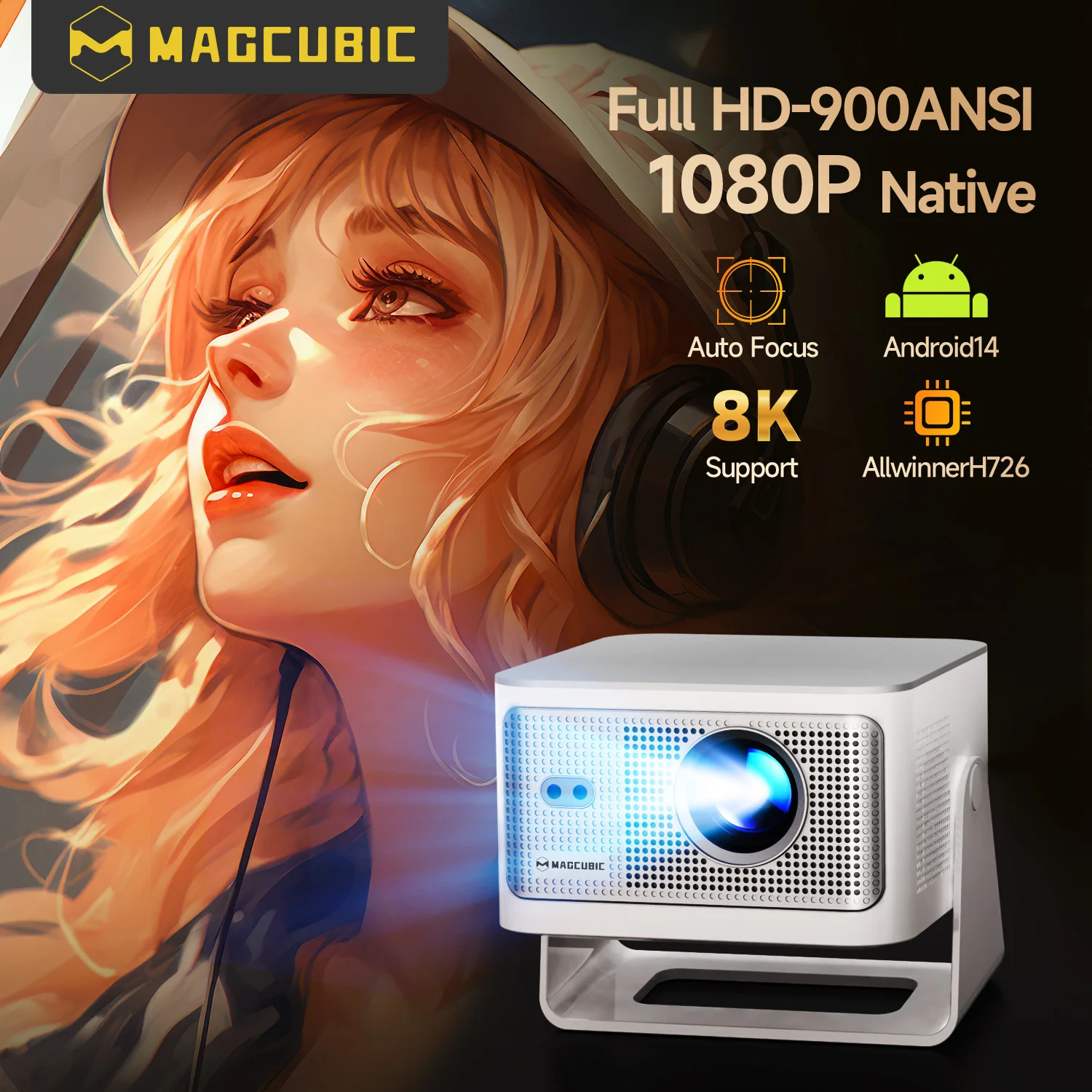
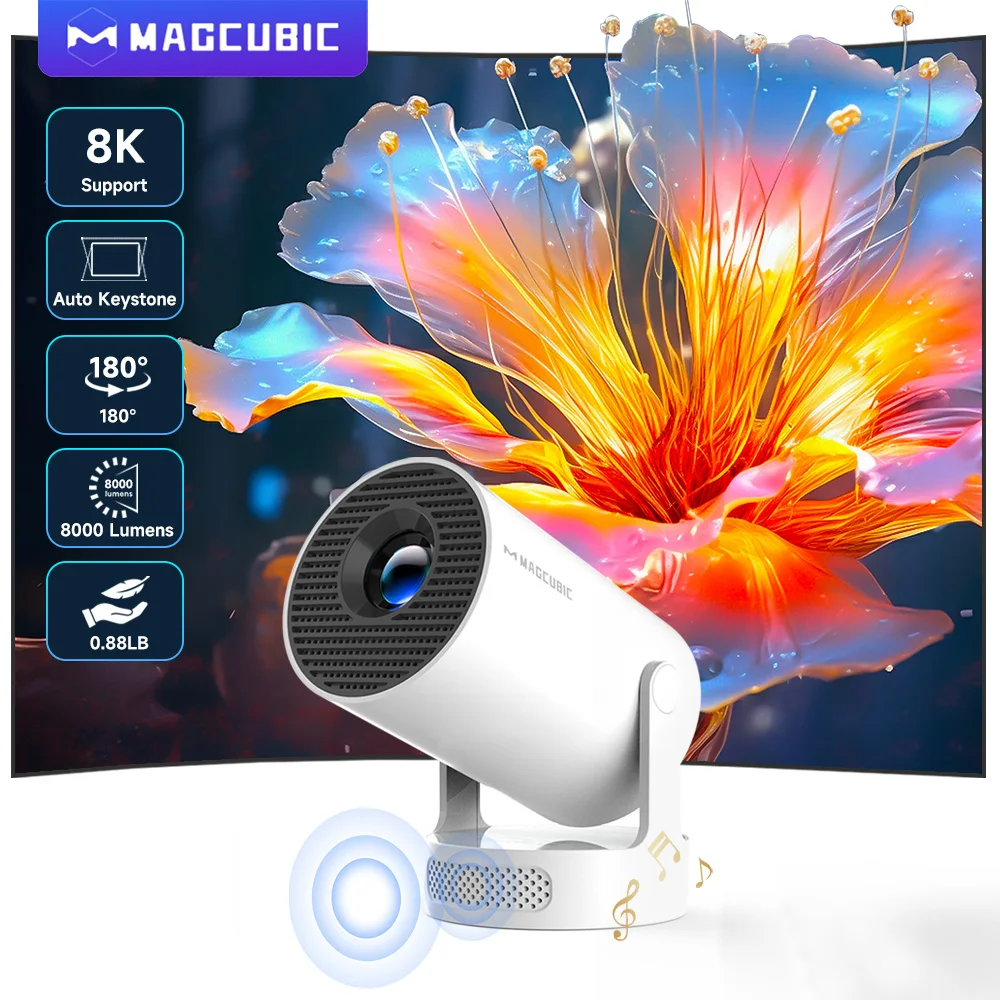
This is the star of the lineup and the one true projector on this list. It runs Android 14 with dual-band WiFi and Bluetooth 5.0, has a native 1280x720 resolution with 8K signal decoding support, rates 290 ANSI lumens, and features a 180° flexible design that makes it easy to angle onto a ceiling or outdoor screen. With a 4.9 rating from over 17,912 buyers at $61.61 (down from $128.36), it's a strong entry point for a first home theater or outdoor movie night on a tight budget. See price ›
4K DisplayPort to HDMI-compatible Adapter Cable
If your laptop, PC, or graphics card only outputs DisplayPort, this adapter cable converts it to an HDMI-compatible signal, carrying both 1080P video and audio to your projector or TV. At $1.72 (down from $3.58) with a 4.9 rating from 15,306+ buyers, it's a low-risk add-on that solves a connectivity mismatch many people don't realize they have until setup day. See price ›
1.8M DP To HDMI-compatible Cable 4K DisplayPort To HD Adapter
A longer alternative to the adapter above, this 1.8-meter male-to-female cable converts DisplayPort to an HDMI-compatible signal at up to 4K, handy if your setup sits further apart. It carries a 4.5 rating from 7,562+ sold at $2.99 (down from $6.75), a sensible pick for longer cable runs. See price ›
Portable Projector Screen Simple Curtain Anti-Light (60–120 Inches)
An affordable, foldable curtain-style screen with anti-light material, available in sizes from 60 to 120 inches, best suited to casual setups where you want something you can hang and take down easily. At $5.08 (down from $15.25) with a 4.3 rating from 3,691+ orders, it's the budget entry point for anyone projecting onto a bare wall. See price ›
SucceBuy 100 Inch Tripod Projector Screen with Stand
This freestanding 100-inch, 16:9, 4K HD-compatible screen comes with its own tripod stand, so there's no wall-mounting required — set it up indoors or outdoors and pack it away when done. With a 4.9 rating from 3,212+ buyers at $36.04 (down from $79.12), it's the pick for anyone who wants a proper screen but needs to move it between rooms. See price ›
XIAOHUI Anti-light Thick HD Projector Screen (60–133 Inches)
A no-hole, wall-mounted screen for buyers who want a more permanent, higher-quality surface than a hanging curtain, available across sizes from 60 up to 133 inches with thicker anti-light material for better contrast. Priced at $27.85 (down from $61.09) with a 4.4 rating from 3,179+ orders, it's best for a dedicated home theater corner where you mount it once and leave it up. See price ›
Quick comparison
| Product | Price | Rating | Sold | Best for |
|---|---|---|---|---|
| Magcubic Android 14 8K Portable Projector | $61.61 | 4.9 | 17,912+ | A complete budget home theater projector |
| 4K DisplayPort to HDMI-compatible Adapter Cable | $1.72 | 4.9 | 15,306+ | Connecting a DisplayPort-only laptop or PC |
| 1.8M DP to HDMI-compatible Cable | $2.99 | 4.5 | 7,562+ | Longer cable runs between source and projector |
| Portable Anti-Light Curtain Screen (60–120") | $5.08 | 4.3 | 3,691+ | Budget indoor/outdoor screen you can hang or fold |
| SucceBuy 100" Tripod Projector Screen | $36.04 | 4.9 | 3,212+ | A freestanding screen you can move between rooms |
| XIAOHUI Anti-light Wall-Mounted Screen (60–133") | $27.85 | 4.4 | 3,179+ | A permanent screen for a dedicated theater space |
Pros & cons
Pros
- A complete budget home theater setup now costs well under $150, projector, screen, and cables included.
- Android-powered projectors run streaming apps natively, cutting out the need for a separate streaming stick.
- Foldable and tripod screens make it easy to move movie night indoors or outdoors on a whim.
- Adapter cables solve DisplayPort-to-HDMI mismatches cheaply, so older or work laptops can still connect.
- High sold counts and ratings across this lineup suggest proven, low-risk picks.
Cons
- Native resolution is typically 720p or 1080p, even when "4K" or "8K support" is advertised — that refers to signal decoding, not the displayed resolution.
- Lower ANSI lumen ratings mean these projectors perform best in a dark or dimly lit room, not bright daylight.
- Curtain-style screens can develop creases if folded and stored repeatedly, affecting image evenness.
- Built-in speakers are rarely strong; budget for a Bluetooth soundbar for the best audio experience.
Frequently asked questions
Do I need a special screen, or can I just project onto a wall?
A plain wall works in a pinch, but any texture or tint in the paint reduces contrast and sharpness. A dedicated screen, even an inexpensive curtain-style one, reflects light more evenly and improves color accuracy and brightness.
What does "8K supported" actually mean on a budget projector?
It means the chip can accept and decode an 8K input signal and scale it down to the unit's native resolution. It does not mean the projector displays true 8K pixels. Most budget projectors have a native resolution around 720p, so treat "8K support" as a compatibility feature, not a resolution upgrade.
How far should the projector be from the screen?
This depends on the projector's throw ratio, which varies by model. As a general guide, compact home projectors typically sit 6 to 12 feet from a screen to fill a 100-inch image, but check the specific throw distance chart for your unit before mounting it.
Can I use these projectors outdoors?
Yes, portable, lower-lumen projectors are popular for backyard movie nights because they're lightweight and easy to reposition. Outdoor viewing works best after dusk, since ambient daylight will wash out a budget projector's image.
Why would I need a DisplayPort-to-HDMI adapter if my projector has HDMI?
The mismatch usually happens on the source side. Many laptops output video via DisplayPort or USB-C rather than HDMI. An adapter cable converts that signal so it plays nicely with your projector's HDMI input.
Is a tripod screen better than a wall-mounted screen?
They serve different needs. A tripod screen is best for portability, moving between rooms or storing away when not in use. A wall-mounted screen suits a dedicated theater setup where you want a permanent installation.
Will Bluetooth 5.0 let me connect wireless headphones for late-night viewing?
Yes, most Android-based projectors with Bluetooth 5.0 support pairing with headphones or speakers, a common way to watch quietly without disturbing others.
Ready to build your budget home theater?
Whether you're starting from scratch or just need the right cable or screen to finish a setup you already have, this lineup covers the essentials without inflating your budget. Start with the projector, add a screen sized for your space, and keep an adapter cable on hand.
Explore more: Best Sellers · Today's Deals · All guides
Affiliate disclosure: Living Atlas may earn a commission from qualifying purchases at no extra cost to you.
🔗 This guide contains affiliate links. We may earn a commission at no extra cost to you.